 VisaDocket
Your relationship records, in one clear PDF.
Put your chat exports, photos, screenshots, documents and emails in one folder. VisaDocket works out what each file is and lays everything out as a dated, numbered timeline you can include with your visa application. Requirements differ by country; check the official guidance for yours.
[Price to be confirmed] Free to download and preview; complete exports are a one-time purchase. macOS 14 or later.
Three steps. One folder in, one PDF out.
VisaDocket reads the files you give it. It never changes them and never uploads them.
Collect your material
Export your chats and save photos, tickets, statements and emails into one folder. The export guides show how for each app, including screenshots for WeChat and Signal.
Choose the folder
VisaDocket recognises WhatsApp, Telegram, Messenger, Instagram, LINE and TextDocket exports, photos, screenshots, videos, PDFs and emails, and tells you about anything it can’t read.
Preview and export
Add your names and reference, choose how much to include, hide private details, check the live preview, and save the PDF.
Everything in one PDF
Organised so the person reading it can follow your relationship over time and point to an exact page.
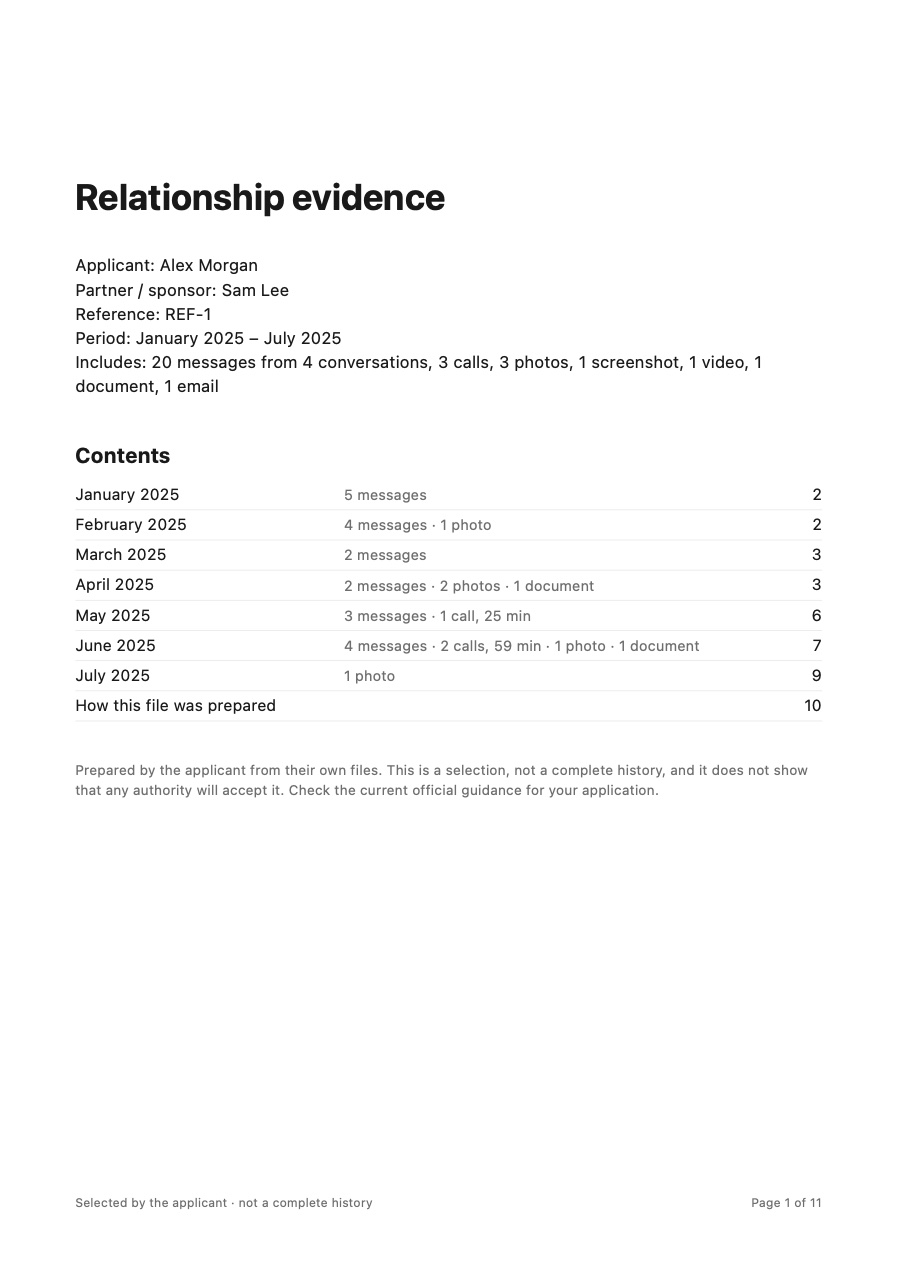
Cover and contents
Your names, reference and period, with a contents page that shows where each month starts and how many messages, calls and photos it holds.
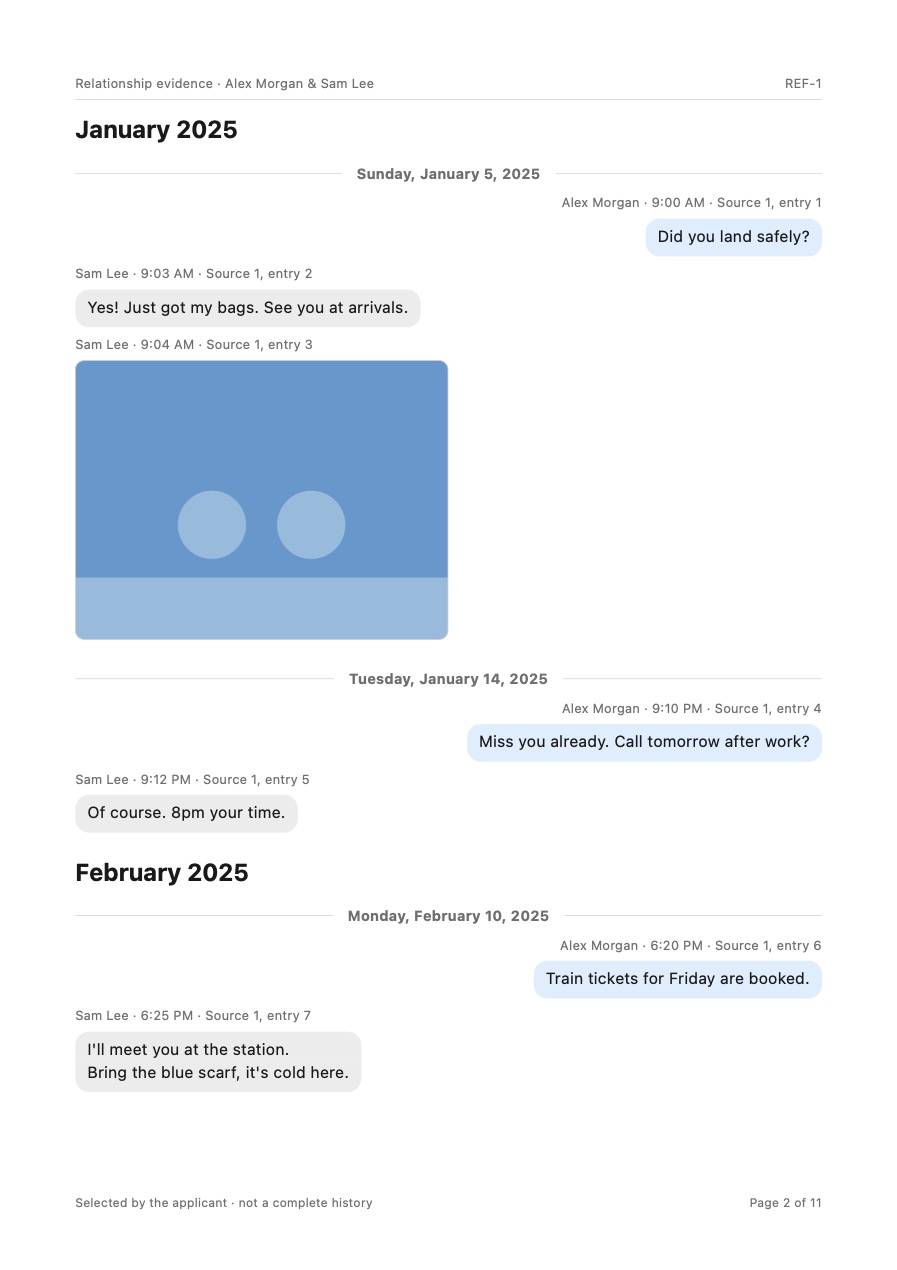
Chats in clear bubbles
Every message with sender, date and time, in the style of the app it came from. Calls are listed with their length.
Photos, videos and documents in place
Photos, a still from each video, tickets, statements and emails appear in date order next to the chats from the same days.
Your choice of messages
Include everything, or up to 3, 5, 10 or 20 messages a month from each chat. Each one keeps the message before and after it for context.
Private details hidden
Words you list are replaced in the text and blacked out in screenshots where on-device text recognition finds them.
Source fingerprints
An appendix explains how the selection was made and lists every source file with its SHA-256 fingerprint, so you can show which file each page came from.
Download a sample export
An 11-page export made from an invented folder: WhatsApp, Telegram, Messenger and LINE chats, photos, a screenshot with a hidden phone number, a short video, a flight booking and a hotel email.
The people, chats and photos are invented. This sample shows the format only. Fingerprints show which file a page came from; they do not show that the material is genuine.
- Sample PDFCover, contents, timeline and source list
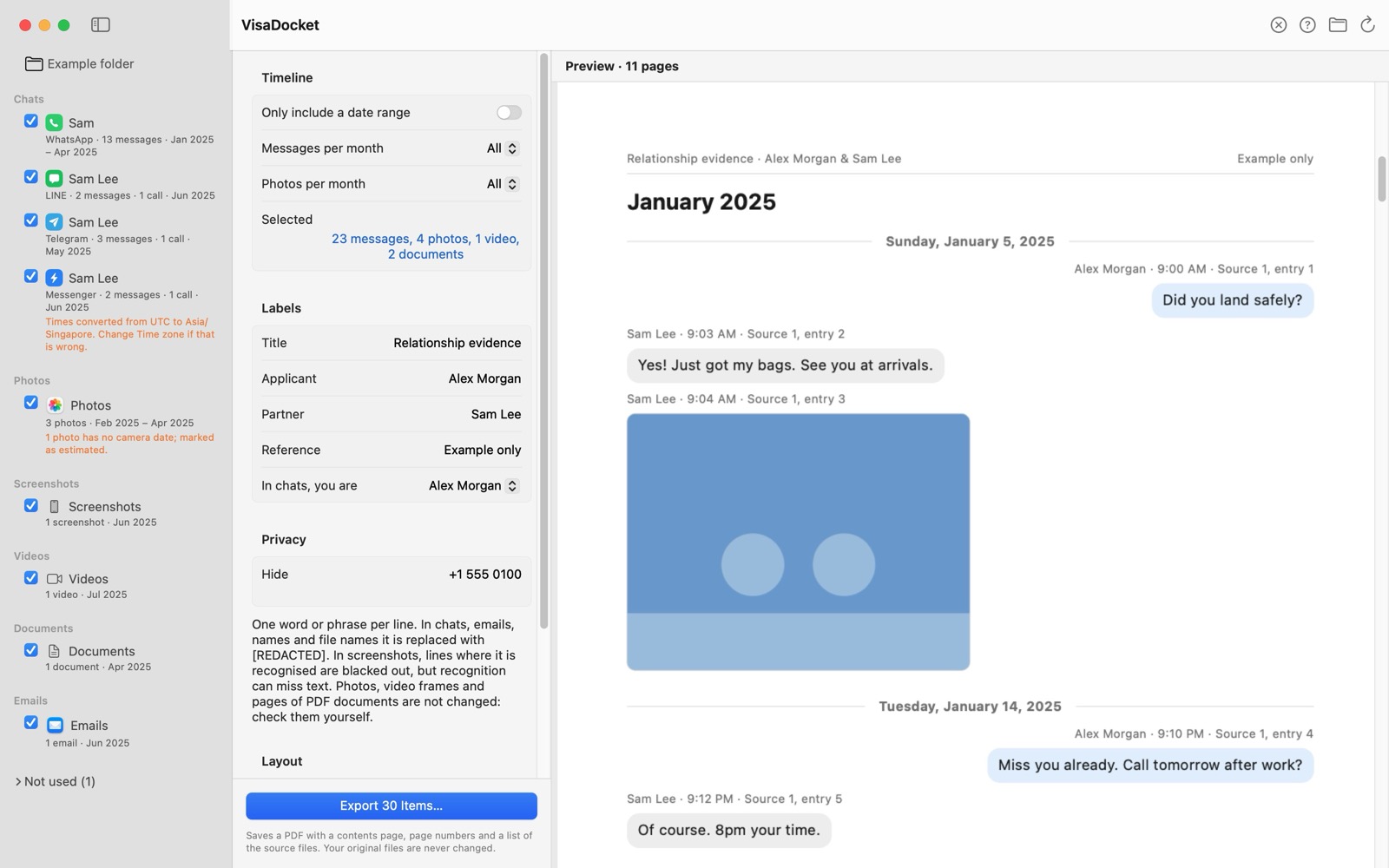
See everything before you export
Recognised sources on the left, settings in the middle, and a live preview of the PDF on the right.
Private by design
These are some of the most personal messages and photos you have. VisaDocket never sends them anywhere.
It reads your folder, does all its work on your Mac, and saves the PDF only where you choose.
- Works entirely on your Mac, even offline
- No account, no uploads, no analytics
- Only reads your files; never changes or deletes them
- Sandboxed by macOS
Export guides
- How to export WhatsApp (iPhone)Export each chat with its photos as one .zip file.
- How to export TelegramExport from Telegram Desktop on a Mac or PC. The phone app can’t export chats.
- How to export Messenger (Facebook)Request a copy of your messages from Meta in JSON format.
- How to export WeChatWeChat has no export VisaDocket can read, so use screenshots.
Questions
What is VisaDocket?
VisaDocket is a Mac app for people applying for a spouse, partner or fiancé visa. It turns a folder of chat exports, photos, screenshots, videos, documents and emails into one dated, numbered PDF.
Does it upload my files?
No. VisaDocket runs entirely on your Mac, makes no network requests with your files, and only reads them; it never changes or deletes them.
Which chat apps does it read?
WhatsApp (.txt or .zip), Telegram Desktop (JSON), Messenger and Instagram (Meta download in JSON), LINE (.txt), and iMessage or SMS exported with TextDocket. For WeChat and Signal, which have no readable export, use screenshots.
How much does it cost?
[Price to be confirmed] Download it free and preview your own folder; the free version exports the first 20 items with a watermark, and a one-time purchase unlocks complete exports. No subscription.
Will my visa be approved?
VisaDocket only organises and formats your material. It does not give immigration advice or guarantee any outcome. Check the official guidance for your application.
Get VisaDocket
[Price to be confirmed] Download it free, preview your own folder, and unlock complete exports with a one-time purchase. No subscription.